A bench with
one interface.
In development
Everything the hub and its pods can do sits behind one interface, served by the PowerBench app on your computer. The app window uses it. Your agent uses it over MCP (Model Context Protocol). Reading is always open. Changing anything on the bench waits until you allow it.
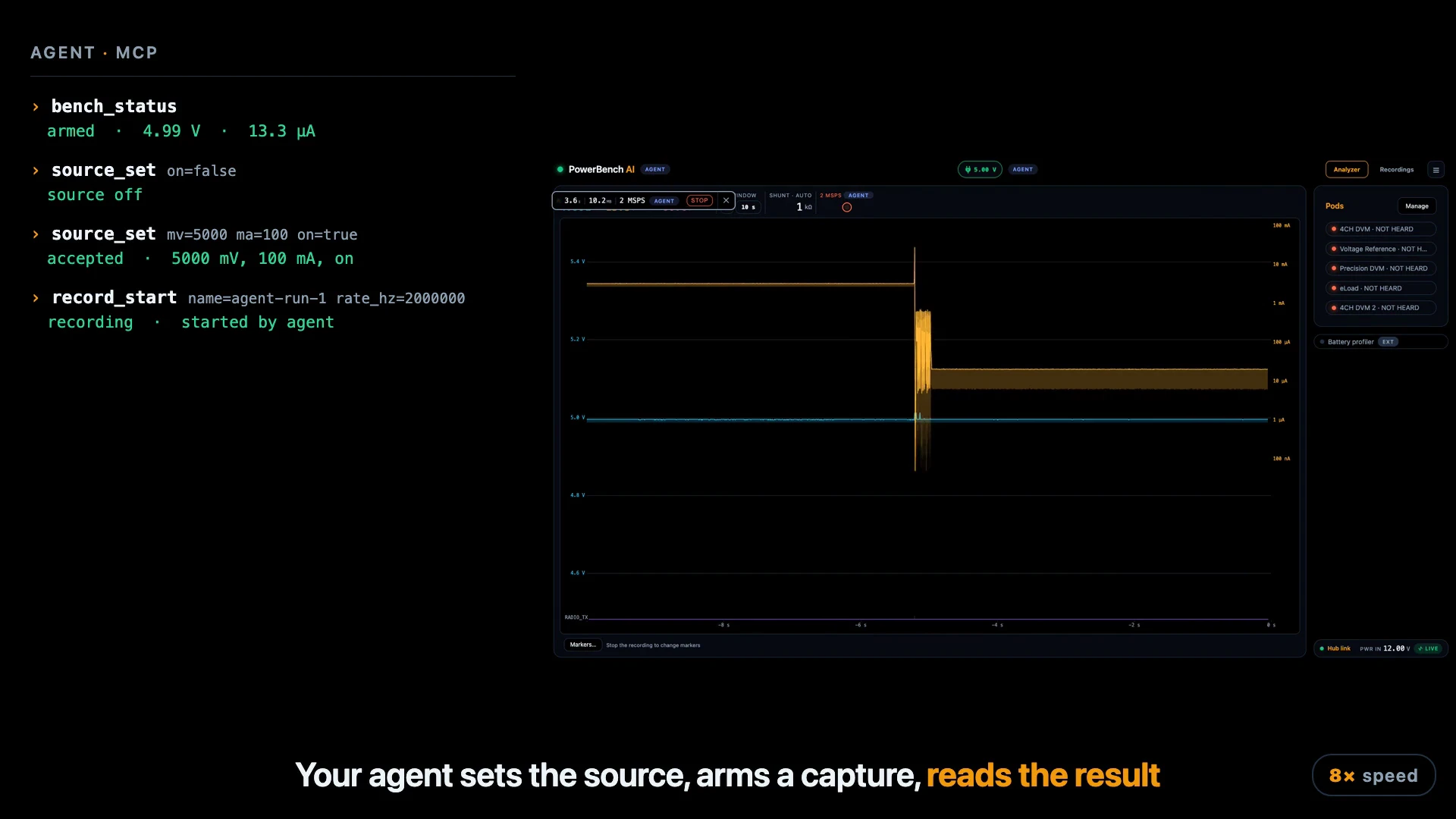
A small set of MCP tools, composed by the model
Your agent calls sixteen plain tools: read the bench, take a measurement, list and summarize recordings, read marker events, read a pod, and, once you allow it, set the source, start and stop a recording, name the marker lines and command a pod.
Atomic calls compose: a sweep, a sleep-current hunt and a battery profile are the same handful of tools in different orders.
One description per pod
When a pod joins, it says what it is. The app looks up that pod's published description (its controls, channels, units and ranges) and draws its panel from it. Your agent lists the pods, reads them and sends the commands that description declares.
Extensions
A procedure you repeat becomes an extension: your logic and your screens, running inside the app without touching its core. It declares what it needs (the source, the recorder, a pod) and borrows them while it runs. If it crashes or hangs, the app turns the source off and puts the pod in its safe state by itself.
Each run is a folder of plain files, and it can start from a script. Extensions are written in JavaScript. The kit for writing your own is in development.
Build your own
SDK
Python and JavaScript/TypeScript clients over the interface the app uses. Private in alpha; access on request.
- Use
- Logging, notebooks, CI
- Transport
- Local API (127.0.0.1, bench token)
- Scope
- Everything the app's API exposes
Developer pod
Everything solved except your circuit: enclosure, battery, radio and protocol.
- Provides
- Power, radio, protocol
- You write
- Your circuit
- You get
- Panel + agent access
MCP ships in the app. In the app's Bench menu, choose Copy MCP setup and paste the result into your agent's configuration.
What your agent can and cannot do
The interface answers on 127.0.0.1 and nowhere else, and every request carries a token the app keeps on your computer. Reading is always open: status, measurements, recordings, markers and pods.
Setting the source, starting or stopping a recording, naming marker lines and linking or commanding a pod need Allow agent control (MCP) checked in the app's Bench menu. It is off every time the app starts. While an agent holds a setting, the app marks it AGENT. Ranging, calibration and deleting a recording are not agent tools at all.
It stays on your computer
Recordings are files on your computer. There is no account and no upload. If your agent runs on a hosted model, its provider sees what the agent reads. An air-gapped bench works: the app ships with the description of every pod we make.
What the loop looks like in practice is on the use cases page, and what the instrument measures is on the product page.
In development. We will email you when it ships.