One hub.
Your computer.
In development
The hub is the analyzer, the source and the radio for your pods. It plugs into your Mac, Windows or Linux computer over USB. The PowerBench app on that computer shows the trace, keeps the recordings and is your agent's way in.
The hub
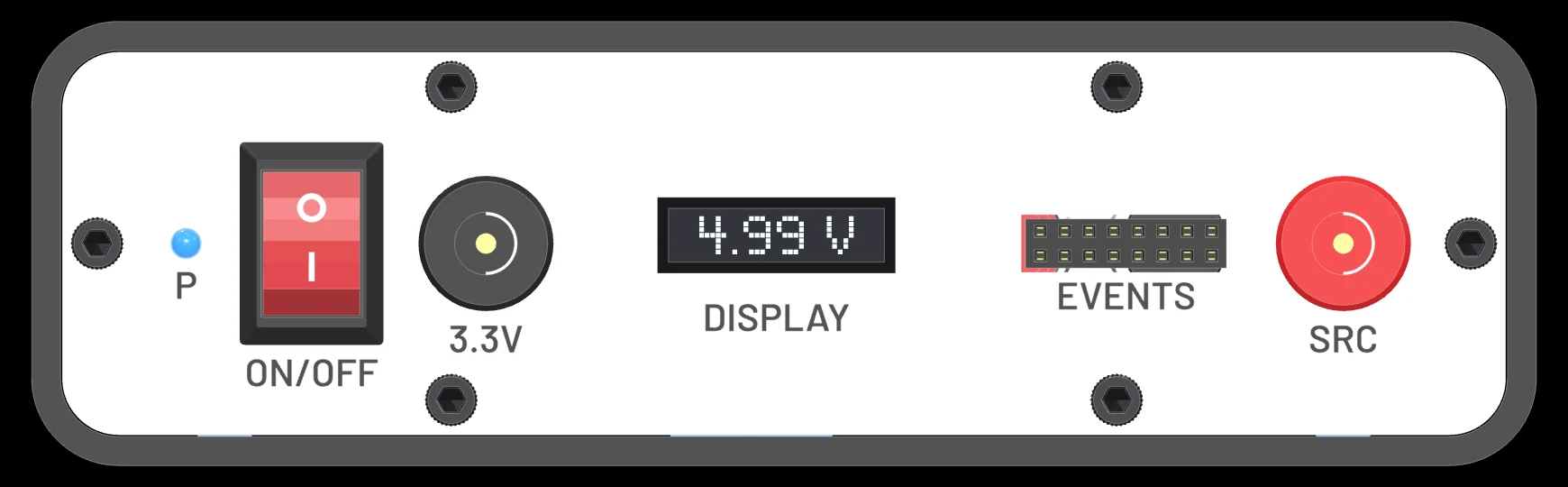
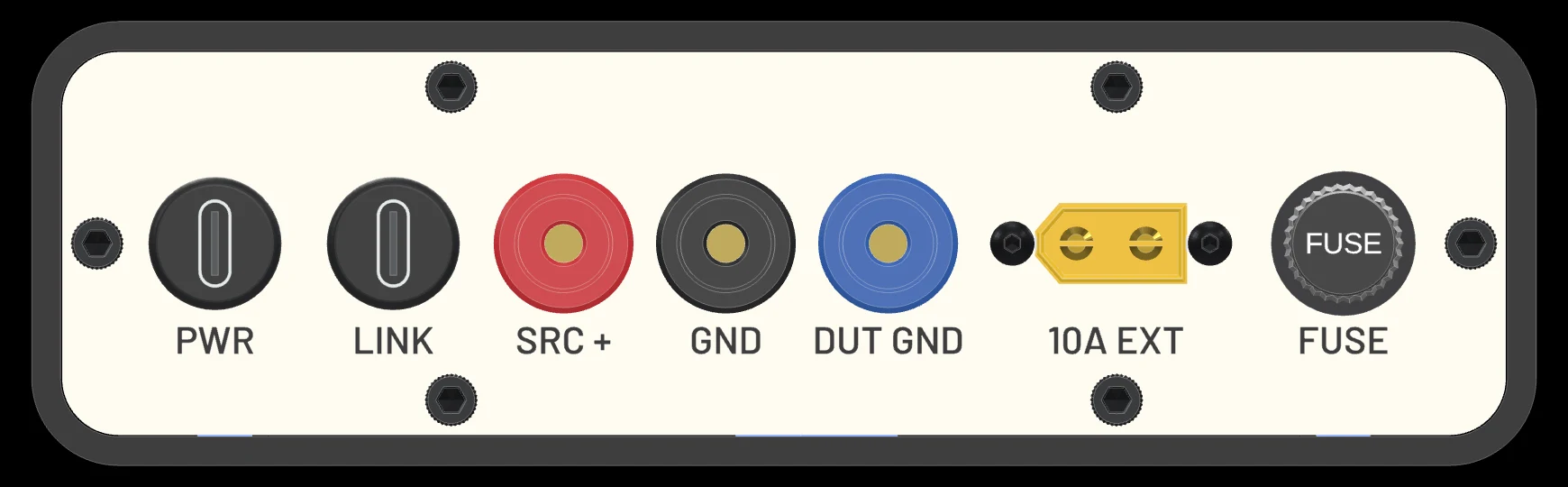
100 nA to 10 A Current range, autoranging per sample
- Record rate
- 1 ksps to 2 Msps
- Source current
- 2 A, limited
- Fixed rail
- 3.3 V
- Event markers
- 8 inputs
- Display
- Input voltage, output voltage, current
- Input
- USB-C PD, accepts up to 100 W; 45 W supply included
- Your computer
- USB
- Pod link
- 2.4 GHz radio
- Ground
- Shares your computer's ground; optional USB isolator
- Interface
- USB to the PowerBench app, which serves the local API and MCP
A small display on the front panel shows input voltage, output voltage and current. The trace, the controls and the recordings are in the app on your computer.
The built-in source supplies up to 2 A. Above that, up to 10 A, bring your own supply: the hub measures it through the terminals on the rear panel.
Before you buy: a computer for the app
The app draws the live trace, keeps your recordings as files and serves your agent over MCP. It opens recordings with or without the hub attached.
- macOS
- macOS 14 or later, Apple silicon
- Windows
- Windows 10 or 11, 64-bit
- Linux
- 64-bit x86 desktop Linux
- Memory
- 8 GiB
- Disk
- 2 GiB free for recordings
- Port
- One free USB port
What's in the box
The hub, a 45 W class II USB-C power supply and a USB cable. Sold separately, and both optional: the pods and the USB isolator. Your computer is not in the box.
Pods
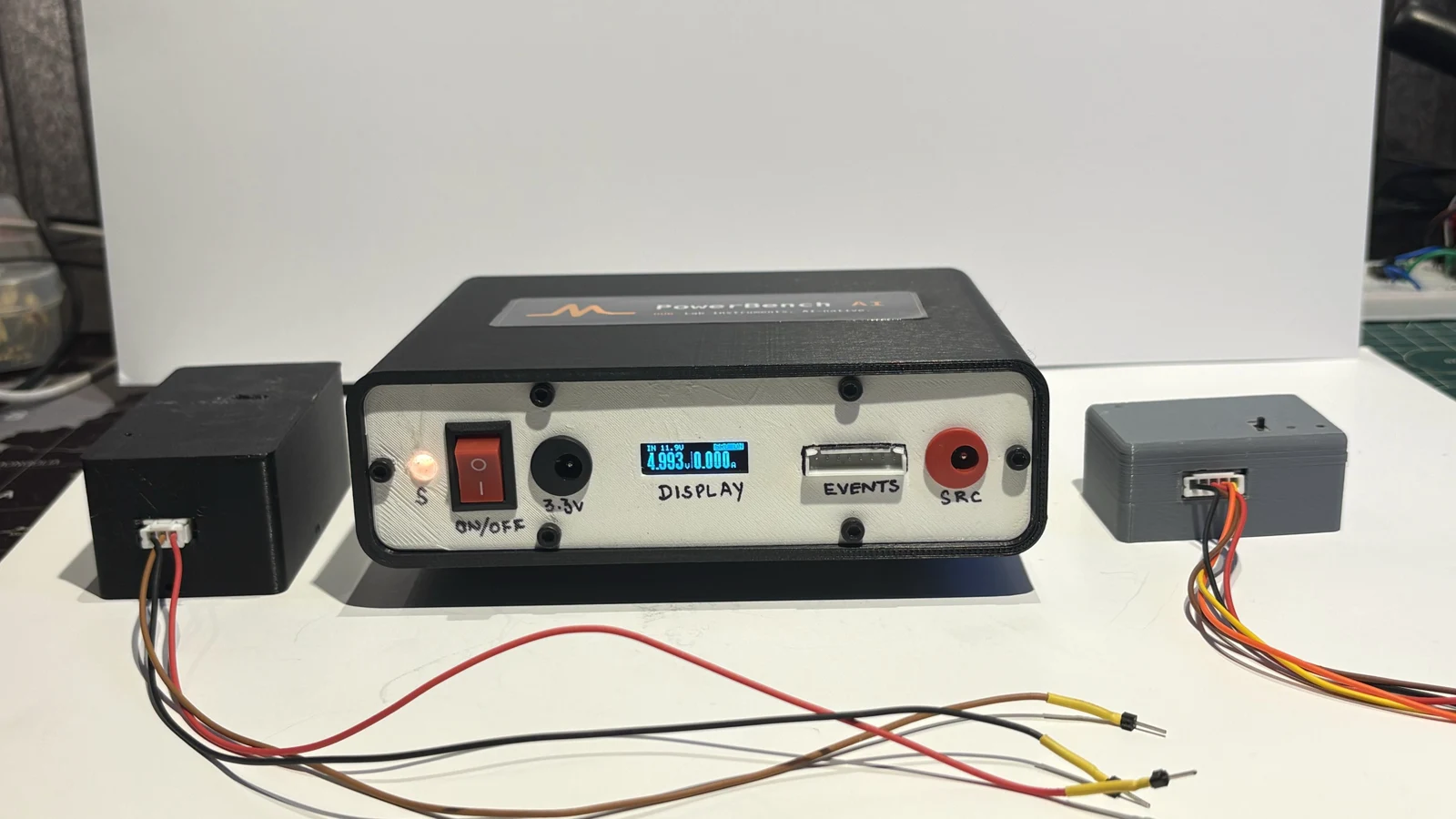
One instrument each, on its own battery, talking to the hub over radio. A pod floats while you use it, so it adds no ground path to your measurement. Charge it from any USB outlet. The app knows each pod's controls from a published description, which is how it draws them and how your agent reaches them.
Electronic load
Pull a defined current, resistance or power from a supply, a cell or a rail.
- Modes
- CC, CR, CP
- Voltage
- 20 V
- Current
- 3.4 A
- Power
- 25 W
Precision voltmeter
A quiet floating channel, with mains rejection inside the conversion.
- Range
- ±73 mV to ±50 V
- Accuracy
- 5.5 digits
- Noise floor
- Sub-µV
- Rejection
- 50 / 60 Hz
- Channels
- 1 differential
Programmable source
A second supply that floats, for the rail the hub is not already driving.
- Channels
- 2
- Ground
- Floating
- Control
- App or API
Where the ground is
The hub is wired to your computer over USB, so the hub and your device share your computer's ground. A debug probe from the same computer to your board is a second ground path, and it will corrupt a small reading. Unplug the probe before you measure, or fit the optional USB isolator on the hub's cable.
The 45 W supply in the box is class II, two pins and no earth, so it adds no earth connection. If you bring your own, choose a class II USB-C PD supply of 45 W or more.
Pods float while you use them. A pod on a charger shares that charger's ground until you unplug it.
What the instrument does
Seven decades, one capture
100 nA to 10 A, autoranging per sample. The sleep floor and the radio burst land in one recording.
Lossless recording
2 Msps, hours long, nothing dropped.
Built-in programmable source
1 to 15 V, up to 2 A, current limited. Power the device and measure it from one box.
Event markers
Wire a pin from your firmware to one of eight marker inputs and name it in the app. It draws a lane under the trace, live and in the recording, so you can see which burst was the radio.
Agent-drivable
TodayAn agent sets the source, starts and stops a recording, reads live values and pod readings, and reads the marker events in a recording, over MCP.
NextIt gets current and energy for each marked state, and finds the anomaly in a recording itself.
Where this goesIt correlates your firmware log with the power trace and bisects the power bug overnight.
How a recording stays lossless for hours is on How it works. What your agent can do is on the developers page.
In development. We will email you when it ships.